
Creating reservations in Bistone HMS is straightforward. Here's the quick overview:
1.
Select Room & Dates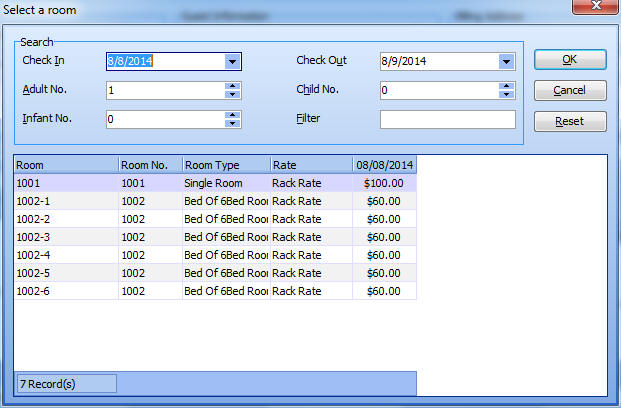
Pick from real-time available rooms. No double-booking.
2.
Add Guest Details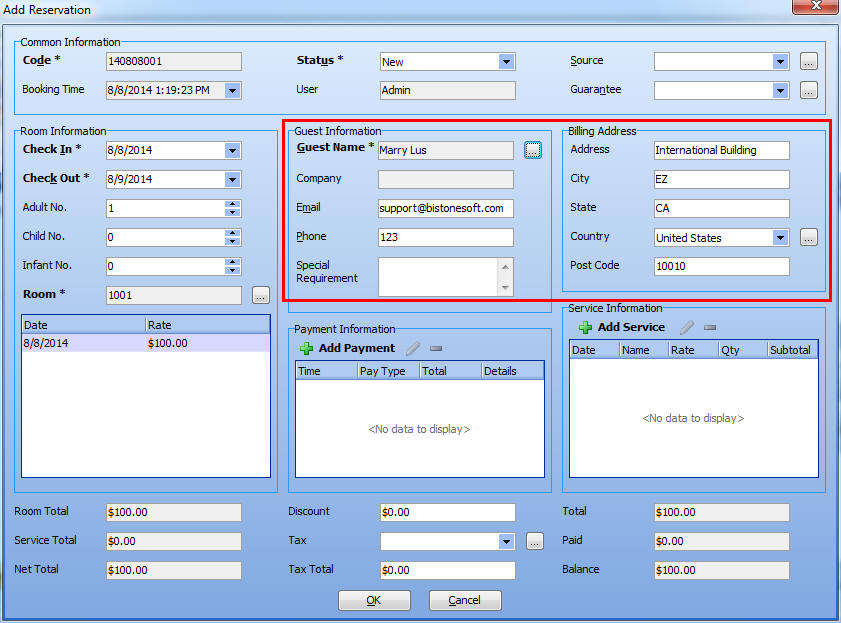
Choose existing guest or register new one.
3.
Confirm & Save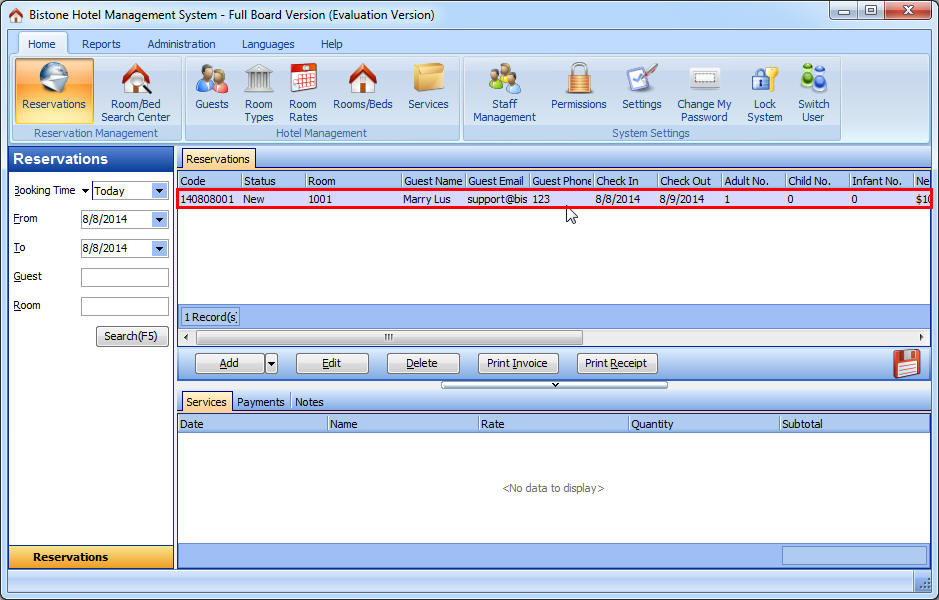
Review rates and save. Updates all reports instantly.
Why It Works So Well:
- Live availability - See what's free now
- Guest search - Find returning guests fast
- Automatic pricing - Rates calculate correctly
- No double-booking - System prevents conflicts
- All rate types - Standard, seasonal, packages
- One-screen workflow - Everything in one place
Try It Yourself – Free Download
Experience the reservation process with your own data.
Download Free TrialFull features, no credit card required. No data limits. Your data can be migrated if you purchase.
Need Detailed Tutorial?
Have a Specific Question?
Contact our support team for setup help.